A head start, every time.
Build from your actual source material instead of staring at an empty document.
AI-powered SOPs & work instructions
Turn videos, documents, and the knowledge you already have into clear SOPs and visual work instructions across industries.

Prepare the work area
The right context.
Exactly where it is needed.
Your knowledge already exists.
Start right there.
SOPs. Work instructions. Shared expertise.
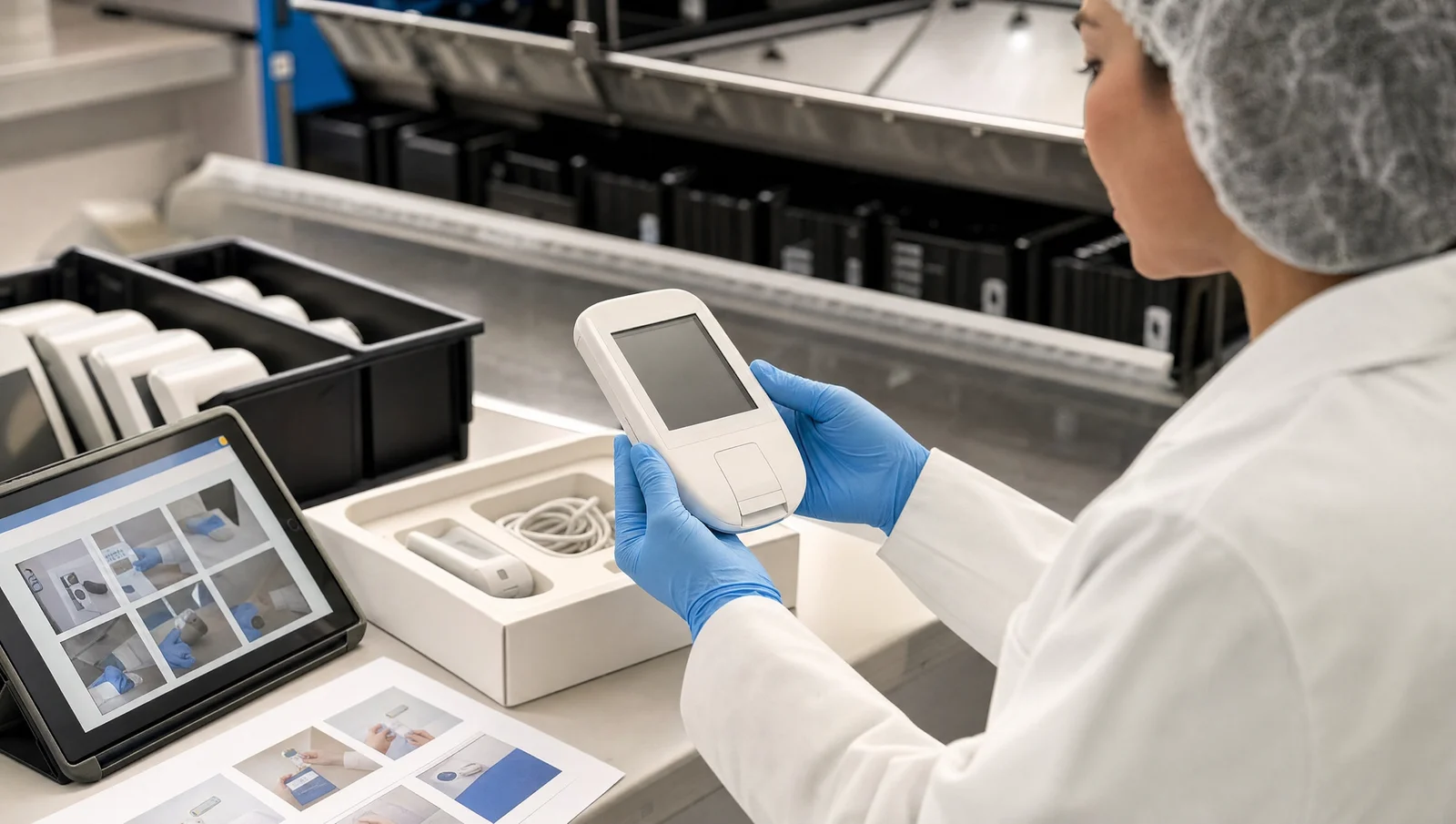
A laboratory procedure, an aircraft inspection, a device packaging check, or an assembly task. Start with your process.
From a lab walkthrough to a visual SOP.
Pharmaceuticals
Turn existing procedures, lab walkthroughs, and reference images into clear SOP drafts. Give quality, laboratory, and production teams a common starting point to review and refine.
Illustrative use cases. Your subject-matter experts review the content and follow your organization’s approval and validation procedures.
01 / A clearer way to work
Scroll to follow the process ↓Start with what you have.
A process video. An existing SOP. A collection of photos. Bring your source material together in one project.
 Illustrative project
Laboratory setup / SOP
Bring the knowledge
Process walkthrough.mp4
Video · Source footage
Existing procedure.pdf
Document · Existing knowledge
Workspace photos
Images · Visual context
02 / Less documenting. More doing.
Your people know the process. StepGen helps turn that knowledge into a useful first draft, so they can spend their time reviewing the details that matter.
Build from your actual source material instead of staring at an empty document.
Bring steps, images, and context together so the next person can follow the process.
Adapt the language, share a link, or export a document for the people doing the work.
03 / From the first draft to the final handoff
Ask the assistant to rewrite, shorten, or restructure an instruction. Keep the result in the workflow, ready for your team to review.
Spend your attention on the process, not the formatting.
Device inspection SOP
Quality procedure · Draft
StepGen assistant
A clearer sequence. Shorter sentences. The details your team chooses to keep.
The knowledge behind the work.
04 / For the people behind the process
From laboratories and production to quality and operations, give the next person a clearer starting point.
A few things worth knowing
No. Use StepGen for SOPs, inspections, equipment setup, maintenance, training, and assembly instructions. Pharmaceutical, aerospace, medical-device, and other operations teams can start with their own source material and review the result through their existing processes.
Bring process videos, documents, images, and other supported source files into a project. StepGen uses that material to help build a first draft of your work instruction.
Yes. Review and edit the steps, change their order, attach media, and use the AI assistant to refine the wording. Your team should verify technical details before sharing an instruction for real work.
Share a browser link that can be opened without signing in, export an editable Word document, or create a Next Plus package.
AI media generation and annotation tools are available as beta features for eligible workspaces. Availability and generation allowances depend on your workspace settings. Always review generated visuals for accuracy.
Your expertise. Ready for the next person.
AI-powered SOPs & work instructions
Turn videos, documents, and the knowledge you already have into clear SOPs and visual work instructions across industries.
Prepare the work area
The right context.
Exactly where it is needed.
Your knowledge already exists.
Start right there.
SOPs. Work instructions. Shared expertise.
A laboratory procedure, an aircraft inspection, a device packaging check, or an assembly task. Start with your process.
From a lab walkthrough to a visual SOP.
Pharmaceuticals
Turn existing procedures, lab walkthroughs, and reference images into clear SOP drafts. Give quality, laboratory, and production teams a common starting point to review and refine.
Illustrative use cases. Your subject-matter experts review the content and follow your organization’s approval and validation procedures.
01 / A clearer way to work
Scroll to follow the process ↓Start with what you have.
A process video. An existing SOP. A collection of photos. Bring your source material together in one project.
Illustrative projectLaboratory setup / SOP
Bring the knowledge
Process walkthrough.mp4
Video · Source footage
Existing procedure.pdf
Document · Existing knowledge
Workspace photos
Images · Visual context
02 / Less documenting. More doing.
Your people know the process. StepGen helps turn that knowledge into a useful first draft, so they can spend their time reviewing the details that matter.
Build from your actual source material instead of staring at an empty document.
Bring steps, images, and context together so the next person can follow the process.
Adapt the language, share a link, or export a document for the people doing the work.
03 / From the first draft to the final handoff
Ask the assistant to rewrite, shorten, or restructure an instruction. Keep the result in the workflow, ready for your team to review.
Spend your attention on the process, not the formatting.
Device inspection SOP
Quality procedure · Draft
StepGen assistant
A clearer sequence. Shorter sentences. The details your team chooses to keep.
The knowledge behind the work.
04 / For the people behind the process
From laboratories and production to quality and operations, give the next person a clearer starting point.
A few things worth knowing
No. Use StepGen for SOPs, inspections, equipment setup, maintenance, training, and assembly instructions. Pharmaceutical, aerospace, medical-device, and other operations teams can start with their own source material and review the result through their existing processes.
Bring process videos, documents, images, and other supported source files into a project. StepGen uses that material to help build a first draft of your work instruction.
Yes. Review and edit the steps, change their order, attach media, and use the AI assistant to refine the wording. Your team should verify technical details before sharing an instruction for real work.
Share a browser link that can be opened without signing in, export an editable Word document, or create a Next Plus package.
AI media generation and annotation tools are available as beta features for eligible workspaces. Availability and generation allowances depend on your workspace settings. Always review generated visuals for accuracy.
Your expertise. Ready for the next person.